The simplest move is to set up a Sweden or Europe eSIM before you land at Arlanda. You walk off the plane already online, skip the kiosk hunt, and avoid tourist-rate SIM pricing. Arlanda does sell SIMs through its Pressbyran and 7-Eleven kiosks and carrier machines, and the free Airport-Guest WiFi is genuinely good, but all of that still means stopping to buy and configure a card while jet-lagged. An eSIM you added at home connects in the time it takes to reach the baggage belt, and because Sweden is an EU country, a Europe regional plan works here on the same profile you would use across the rest of the continent.
What This Guide Covers
Jump to the section most relevant to you
SIM and eSIM Options at Arlanda Airport
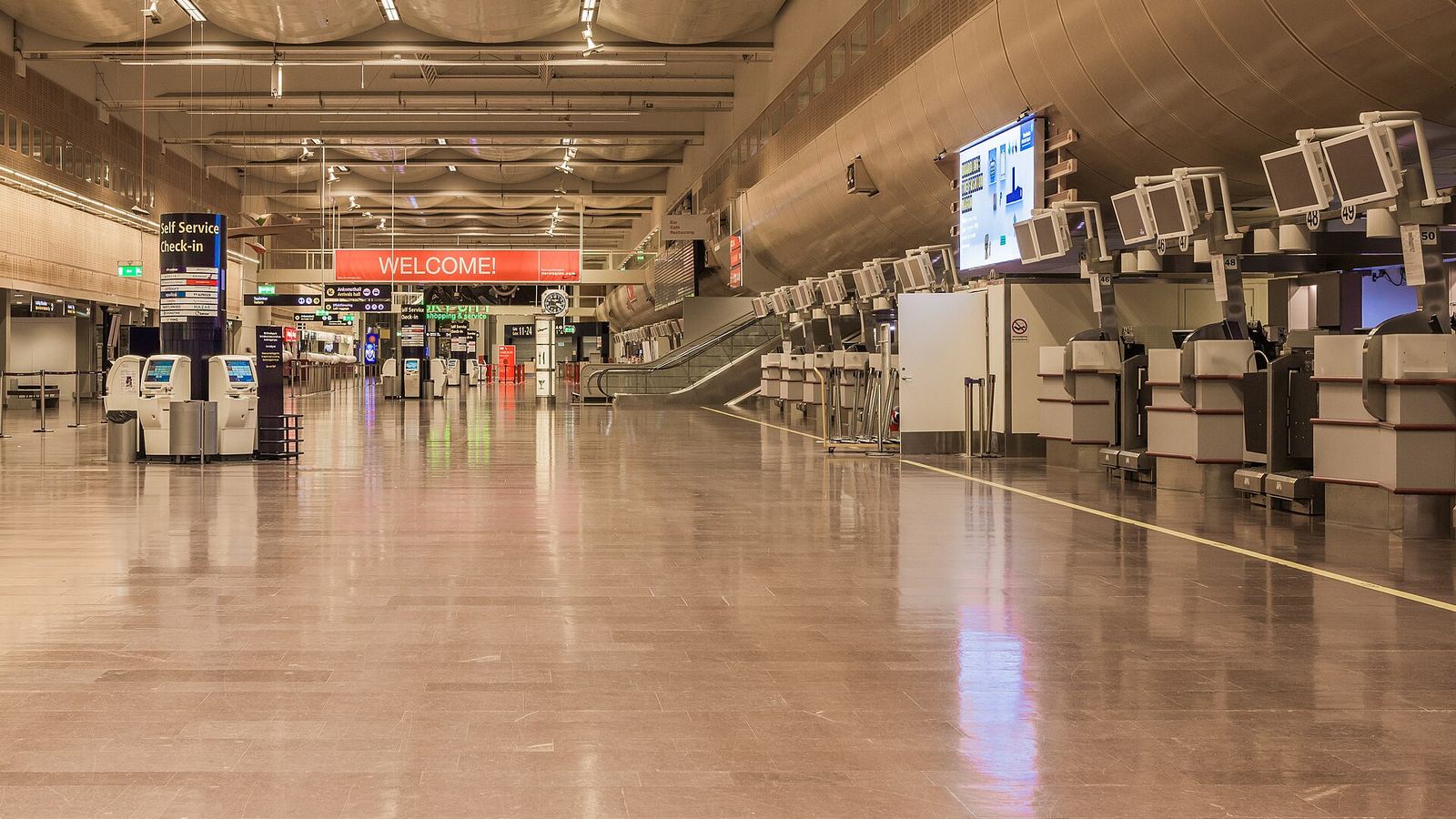
Stockholm Arlanda operates three passenger terminals, Terminal 2, Terminal 4, and Terminal 5, with Terminal 5 the main international hub. Terminals 4 and 5 are linked by the SkyCity concourse of shops, cafes, and the train station, so wherever you land you are never far from somewhere to get connected.
Quick Terminal Summary
Terminal 5 and Terminal 4 (via SkyCity): the widest choice, with Pressbyran and 7-Eleven convenience stores selling prepaid SIMs, plus carrier vending machines in the arrivals areas. Terminal 2: smaller, but still has a convenience kiosk for a prepaid SIM and top-ups. There is no dedicated staffed carrier counter, so the kiosks and machines are your on-airport options.
Convenience-Store SIMs
The most practical on-arrival buy is a prepaid SIM from a Pressbyran or 7-Eleven inside the terminals. They stock Comviq (on the Tele2 network) and other Swedish prepaid cards, and because Sweden requires no ID registration, staff can sell you a card and you are online in minutes without paperwork. Comviq is the value pick; ask for Telia if you are heading north later in the trip.
Carrier Vending Machines
Self-service machines from operators such as Telia, Telenor, and Tre sit in the arrivals areas and run around the clock, which makes them the fallback for a late-night landing when the kiosks are winding down. The trade-off is a limited menu and setup you handle yourself, with no staff to troubleshoot if your handset is fussy.
eSIM
eSIMs are not sold from a physical rack at Arlanda, but you can buy and install one over the Airport-Guest WiFi the second you land. That is the same thing you could do at home over your own internet, which is precisely why setting one up before departure is the cleanest path of all.
Free Airport WiFi at Arlanda (Airport-Guest)
Arlanda offers solid free WiFi across the terminals, which matters because it is what lets you activate an eSIM or buy a plan online the moment you arrive.
Open WiFi settings
On your phone's WiFi screen, select the network named Airport-Guest. No password is required. Double-check the exact name on a nearby sign, as SSIDs can be tweaked over time.
Accept the terms
A portal page opens. Agree to the terms and you are connected. There is no time cap, so you can browse, message, and set up your data plan at your own pace.
Use it across the terminals
The free WiFi covers the gates, arrivals halls, and the SkyCity concourse between Terminals 4 and 5, so you stay online right up to the train platform or bus stop.
Where the free WiFi runs out
Airport-Guest is only useful inside the building. Step onto the Arlanda Express, a commuter train, or a taxi and it is gone, right when you want maps and departure times for the ride into Stockholm. Public airport WiFi is also slower and less private than your own mobile data. Use it to confirm your eSIM is live, then let the eSIM carry you from the platform onward.
Arlanda to Stockholm: Transit and Data En Route
Arlanda sits about 40 km north of central Stockholm, so getting into town is a proper leg of the journey, and it is exactly where you want live data for navigation and messaging your accommodation. Here are the main options, with 2026 fares.
| Option | Destination | Time | Fare (one way) |
|---|---|---|---|
| Arlanda Express | Stockholm Central (T-Centralen) | 18 to 20 min | 340 SEK (about 32 USD) |
| SL commuter train (pendeltag 40/41) | Stockholm City, Odenplan | About 38 min | ~173 SEK (43 SEK ticket + 130 SEK station fee, about 16 USD) |
| Flygbussarna coach | Cityterminalen | 40 to 50 min | From 129 SEK (about 12 USD) |
| Fixed-price taxi | Anywhere in the city | About 40 min | Roughly 500 to 675 SEK (about 48 to 64 USD) |
The Arlanda Express is the fastest, running from an underground station beneath SkyCity to Stockholm Central in 18 to 20 minutes, every 10 to 15 minutes. The SL commuter train is slower but far cheaper and drops you at Stockholm City in the same building as T-Centralen; note the fare is an SL ticket plus a station passage fee charged for using the Arlanda platform. Budget travelers can skip that fee by taking SL bus 583 to Marsta station and switching to the commuter train there. The Flygbussarna coach is a good middle path to Cityterminalen, and for taxis stick to the marked firms like Taxi Stockholm or Taxi Kurir, which post fixed airport fares rather than metered rates.
Data coverage on the ride in
The Arlanda Express advertises free onboard WiFi, but travelers often find it patchy, and the line dips through tunnels where shared WiFi struggles. Your own eSIM is far steadier: Sweden's networks blanket the route into the city, with only brief drops in the tunnel sections. With your own data you keep maps, SL app tickets, and messages working the whole way in, which is when you most need them.
Why Set Up an eSIM Before You Land
There is a clear case for sorting your connection before you ever leave home.
Pre-loaded eSIM
Buying at the airport
How to do it
Buy a Sweden or Europe eSIM online a day or two before your flight and add the profile while you still have home internet. When you land at Arlanda, set the eSIM as your data line in settings and you are connected straight away, with no Airport-Guest login needed. For plan options and coverage across the country, see our Sweden eSIM guide.
Arlanda Kiosk Prices vs an eSIM
Arlanda's kiosks are convenient, but that convenience carries a markup. Typical 2026 airport pricing looks like this against a comparable online eSIM.
| Where | Typical plan | Price |
|---|---|---|
| Arlanda kiosk SIM | Prepaid card with a week of data | About 145 to 195 SEK (~14 to 19 USD) |
| Arlanda kiosk SIM | Larger 30-day data bundle | Up to about 300 SEK (~29 USD) |
| Online eSIM | Short stay, small data bucket | From about 4 to 5 USD |
| Online eSIM | Around 10 GB for a longer trip | Roughly 16 USD |
| Europe regional eSIM | Multi-country, covers Sweden plus neighbors | From about 5 USD short-term |
The pattern is steady: for the same data, an online eSIM generally comes in under the Arlanda kiosk and removes the queue. A kiosk card is quick to buy in Sweden since no registration is needed, so the local SIM is a fine backup, but for a data-only traveler the eSIM wins on both price and how fast you are online. And if your trip touches Norway, Denmark, or the wider continent, a Europe plan bought once beats buying a fresh card at each border.
The verdict
Set up a Sweden or Europe eSIM before you fly and use Airport-Guest only to confirm it is working. Keep the kiosks in mind purely as a backup if your phone turns out not to support eSIM, or if you specifically want a local Telia card for a deep Lapland leg. To match a plan to your trip length, run the eSIM Finder.
Frequently Asked Questions
Where can I pick up a SIM card at Arlanda after landing?
The easiest buy is a prepaid card from a Pressbyran or 7-Eleven convenience store in the terminals, mainly around Terminal 5 and the SkyCity concourse linking Terminals 4 and 5, with a smaller kiosk in Terminal 2. Carrier vending machines from Telia, Telenor, and Tre sit in the arrivals areas and run 24 hours. Since Sweden needs no ID registration, you can be online within minutes.
What is the free WiFi network at Arlanda called?
Connect to the network named Airport-Guest, which needs no password. Accept the terms on the portal page and you are online with no time limit. It covers the gates, arrivals, and the SkyCity concourse between Terminals 4 and 5, and it is the easiest way to activate an eSIM or buy a data plan the moment you arrive. Confirm the exact name on a sign, as SSIDs can change.
Will I have a signal on the Arlanda Express or commuter train into the city?
Your own eSIM gives the steadiest connection. The Arlanda Express offers onboard WiFi, but it is often reported as patchy and can drop in the tunnel sections. Cellular data from an eSIM or SIM holds up well across the 40 km route into Stockholm, with only brief gaps in tunnels, so your maps and SL app tickets keep working for the whole 18 to 40 minute ride depending on which service you take.
Is a SIM from Arlanda cheaper than an eSIM?
Usually not. An airport prepaid card with a week of data runs about 145 to 195 SEK, and larger 30-day bundles up to around 300 SEK. Online eSIMs for Sweden start near 4 to 5 USD for a short stay and sit around 16 USD for roughly 10 GB, so for the same data an eSIM typically costs less and skips the kiosk. The airport SIM does give you a physical card if you prefer one.
Should I get a Sweden-only eSIM or a Europe plan when I fly into Arlanda?
It depends on your route. If you are staying in Sweden, a single-country eSIM is usually the cheapest per gigabyte. If your trip also crosses into Norway, Denmark, Finland, or the rest of Europe, buy a Europe regional plan, since Sweden is in the EU roaming zone and one profile then covers the whole journey without swapping SIMs at each border.