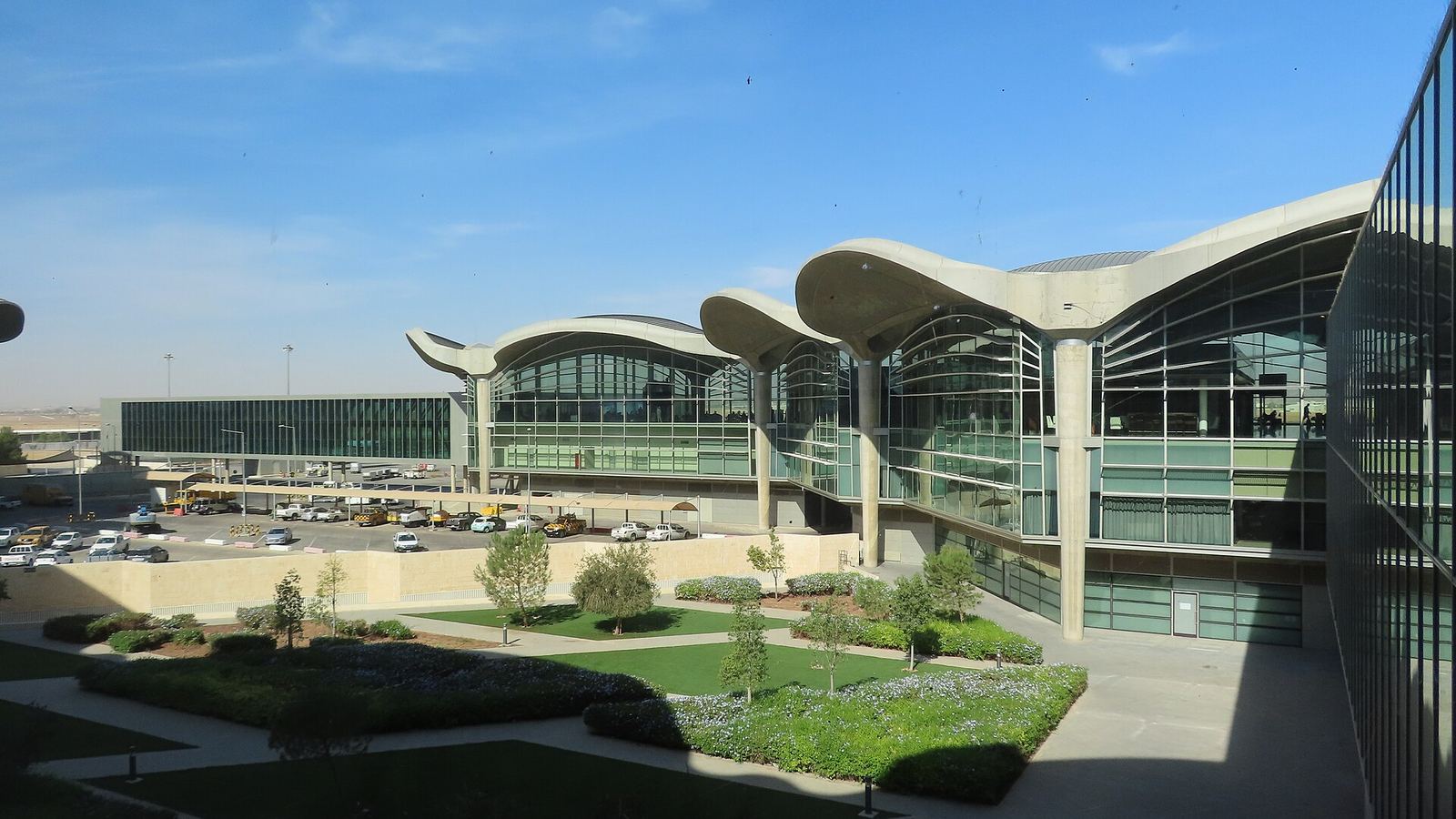
The short answer: load a Jordan eSIM before you land at Queen Alia. You walk past the carrier booths with working data already running, you can price a Careem or the airport bus from the curb, and you avoid paying the booth markup while jet-lagged. Queen Alia does keep Zain, Orange, and Umniah booths side by side in arrivals, open 24 hours, plus free terminal WiFi, but all of that still means stopping, queuing, and registering a SIM against your passport. A travel eSIM activates over WiFi in a couple of minutes and is live the instant the cabin doors open.
What This Guide Covers
Jump to the section most relevant to you
SIM and eSIM Options at Queen Alia Airport
Queen Alia International is refreshingly simple to navigate: it has a single terminal, so unlike sprawling multi-terminal hubs there is no risk of landing at the wrong building for connectivity. Everything you need sits in the arrivals area on the ground level once you clear passport control and customs.
Where the booths are
All three Jordanian carriers, Zain, Orange, and Umniah, run booths next to each other in the arrivals hall, just past customs. They sell prepaid tourist SIMs around the clock, which is genuinely useful at AMM given how many flights land late at night or in the small hours. Because they sit side by side, you can compare the day's tourist bundles in a single glance before deciding.
The Carrier Booths
Staff at the booths scan your passport, register the line as Jordanian law requires, and slot the SIM for you, then check the data is working before you leave. Tell them where you are headed: if your trip runs south to Petra and Wadi Rum, ask specifically for a Zain bundle, since that is the network with the deepest reach into the desert. Prices at the airport tend to edge a little above the same plan in an Amman city shop.
eSIM and the Catch With Buying Here
There is no dedicated eSIM rack at Queen Alia, but you do not need one. You can buy and install a travel eSIM online over the airport WiFi the moment you land, which is exactly the same thing you could have done from your sofa at home before the flight. That is the whole argument for pre-installing: doing it in advance means you skip the booth line entirely and step off the plane already connected.
Free Airport WiFi at Queen Alia (Airport-Free-WIFI)
Queen Alia offers free terminal WiFi, which matters mainly because it is what lets you activate an eSIM or buy a plan online the second you arrive.
Open your WiFi settings
On your phone's WiFi screen, look for the network named Airport-Free-WIFI and select it. No password is needed to join.
Accept the portal terms
A sign-in page opens. Agree to the terms to connect. Once the WiFi icon shows you are online, you can activate your eSIM or finish a purchase.
Use it across the terminal
The signal reaches the arrivals hall, the central area, and the gate piers, so you can get set up whether you are heading out or waiting on a connection.
Why terminal WiFi cannot carry your whole trip
The free network is fine inside the building, but it ends at the exit doors. Step onto the Sariyah bus or into a taxi and it is gone, right when you want a live map for the 35 kilometre run into Amman. Public airport WiFi is also slower and less private than your own mobile data. Use Airport-Free-WIFI to confirm your eSIM is live, then rely on the eSIM for the journey itself.
Queen Alia to Amman: Transit and Data En Route
Queen Alia sits about 35 kilometres south of central Amman, so the trip in is a proper drive of half an hour or more, not a quick hop. This is precisely the stretch where you want working data: to track the route, message your accommodation, and confirm where your driver is dropping you on the city's circle-based roads. Here are the main options.
| Option | Destination | Time | Fare (one way) |
|---|---|---|---|
| Sariyah Airport Express bus | Tabarbour (North) station via 7th and 6th Circles | About 45 to 60 min | 3.40 JOD (~$4.80) |
| Airport taxi (fixed rate) | Anywhere in central Amman | 30 to 45 min | Around 22 to 25 JOD (~$31 to $35) |
| Careem / private transfer | Door to door | 30 to 45 min | Varies, often near the taxi rate |
The Sariyah Airport Express is the budget pick at 3.40 JOD, running roughly every half hour by day and hourly at night, with stops at the 7th and 6th Circles before the North (Tabarbour) station; buy the ticket at the kiosk by the stand or from the driver. The airport taxis work on government-set fixed rates rather than meters, so confirm the figure before you set off and expect somewhere around 22 to 25 JOD into the centre.
Data coverage on the ride in
The road between Queen Alia and Amman is well covered on Zain and Orange, so your own eSIM gives you steady data the whole way, which the airport WiFi cannot do once you are past the doors. That keeps your map live to watch the route, track the bus stops, and pin your exact drop-off on Amman's landmark-based streets, which is far easier than describing a hilltop address to a driver mid-journey.
Why Install an eSIM Before You Land
There is a strong case for sorting your connection before you even leave home, rather than treating it as an arrivals errand.
Pre-installed eSIM
Buying at the airport
The simple way to do it
Pick up a Jordan eSIM online a day or two before departure, load the profile while you still have home internet, and keep the line switched off until you touch down. When you land at Queen Alia, flip the eSIM on in settings and you have data right away, no Airport-Free-WIFI login required. For help matching a plan to your trip, see our Jordan eSIM guide.
Queen Alia Booth Prices vs an eSIM
The booths in arrivals are handy, but you pay a little extra for that convenience and the time it costs. Here is roughly how the numbers stack up in 2026.
| Where | Typical plan | Price |
|---|---|---|
| Airport carrier booth | Tourist bundle, ~20 GB / 30 days | Around 15 to 20 JOD (~$21 to $28) |
| Amman city shop | Same ~20 GB tourist bundle | Around 15 JOD (~$21) |
| Online eSIM | Short stay, capped data | From about $5 |
| Online eSIM | ~10 to 20 GB for a longer trip | Around $15 to $25 |
The pattern is the familiar one: for the same amount of data an online eSIM generally lands at or below the airport booth, and it removes the queue and the passport scan entirely. The booth bundle does give you a physical SIM and a Jordanian number, which is worth it if you specifically want to make local calls. For data-only travelers, the eSIM wins on both price and the speed of being online.
The bottom line
Buy a Jordan eSIM before you fly and choose one that lists Zain so your coverage holds up south of Amman. Use Airport-Free-WIFI only to confirm it is live. Keep the booths in mind purely as a backup if your phone turns out not to support eSIM, or if you want a local number for calls. Not sure which plan fits? Run the eSIM Finder.
Frequently Asked Questions
Where do I buy a SIM card at Queen Alia Airport?
Zain, Orange, and Umniah all run booths next to each other in the arrivals hall, just past customs, on the ground level of the single terminal. They sell prepaid tourist SIMs around the clock, which suits the many late-night arrivals at AMM. Staff register the SIM to your passport and check the data works before you leave. If you are heading south to Petra and Wadi Rum, ask for a Zain bundle for the best coverage.
Does Queen Alia Airport have free WiFi?
Yes. Connect to the network named Airport-Free-WIFI, which needs no password, then accept the terms on the portal page to get online. The signal reaches the arrivals hall, the central area, and the gate piers, and it is the easiest way to activate a travel eSIM the moment you land before you head out to the bus or a taxi.
How do I get from Queen Alia Airport into Amman, and what does it cost?
The Sariyah Airport Express bus is the budget option at 3.40 JOD, taking about 45 to 60 minutes to the North (Tabarbour) station with stops at the 7th and 6th Circles, running roughly every half hour by day. Fixed-rate airport taxis run around 22 to 25 JOD and take 30 to 45 minutes door to door. Careem and private transfers cost about the same as a taxi.
Will I have data on the drive from Queen Alia into Amman?
Yes, if you have your own eSIM or SIM. The road between Queen Alia and central Amman, about 35 kilometres, is well covered on Zain and Orange, so your data stays steady for the whole half-hour-plus ride. The airport WiFi cannot help once you leave the terminal, so a pre-installed eSIM is what keeps your map live to track the route and pin your drop-off.
Is it cheaper to buy a SIM at the airport or use an eSIM?
Usually the eSIM, or at worst the same price. An airport booth tourist bundle with around 20 GB runs roughly 15 to 20 JOD, a touch above the same plan in an Amman city shop, while online eSIMs start near $5 for short stays and around $15 to $25 for a larger bundle. For the same data an eSIM typically matches or beats the booth and skips the queue. The booth does include a Jordanian number for calls.