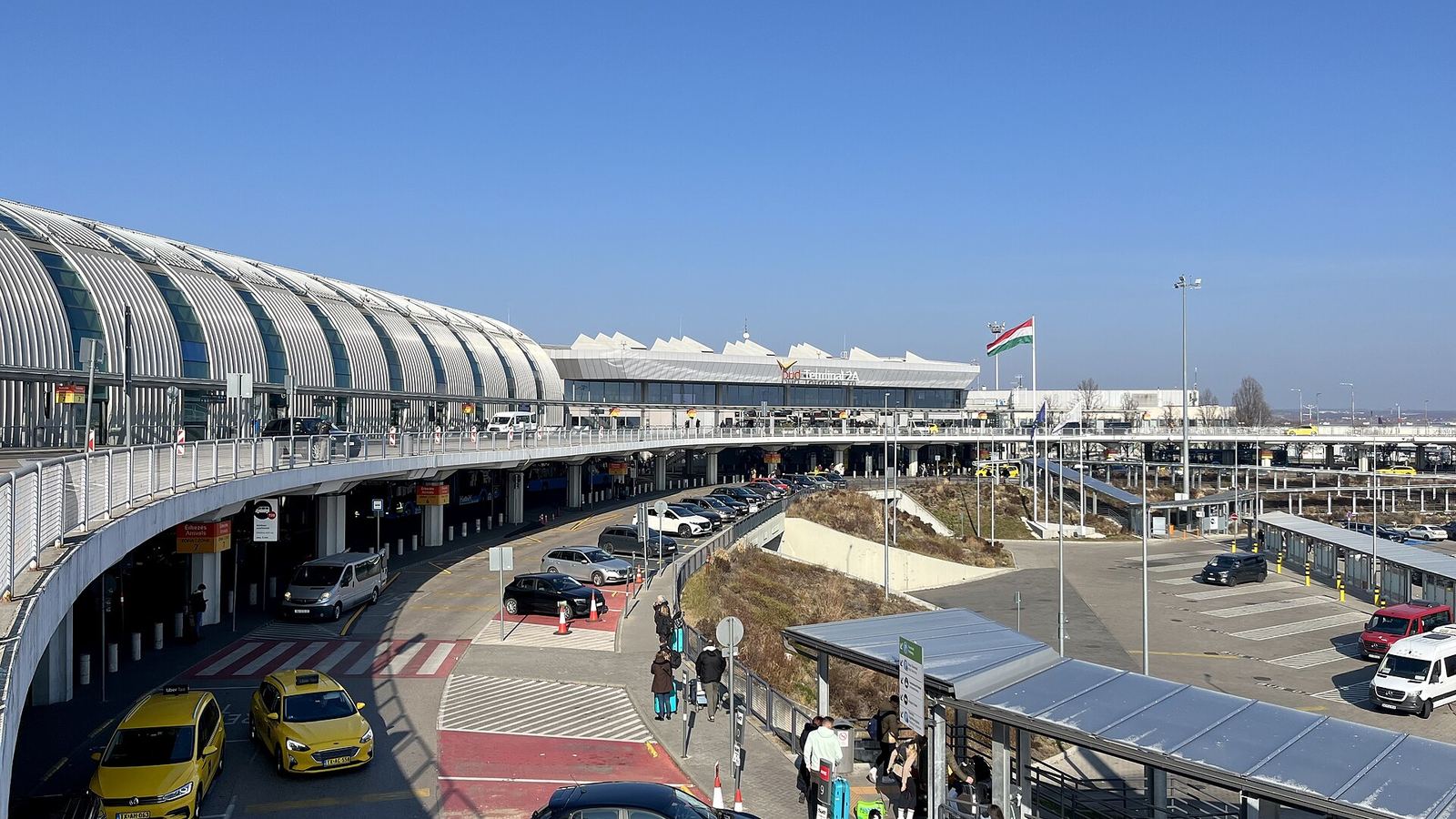
The simplest answer: install a Hungary or Europe eSIM before you land at Budapest. You skip any counter, you have working data the instant your plane touches down, and you avoid paying inflated airport prices. Budapest Ferenc Liszt Airport (BUD) is a single passenger terminal, Terminal 2, split into 2A and 2B, and connectivity options there are thinner than at bigger European hubs, so arriving already online matters more here. The airport has good free WiFi and there are ways to buy a local SIM, but all of them still mean stopping, registering, and configuring while jet-lagged. A travel eSIM activates over WiFi or home data in a couple of minutes and is ready when you reach the arrivals hall.
What This Guide Covers
Jump to the section most relevant to you
SIM and eSIM Options at Budapest Airport
Budapest Ferenc Liszt Airport handles all its passenger traffic through one terminal, Terminal 2, divided into the 2A and 2B piers with the shared Skycourt shopping and dining area between them. That keeps things simple, but it also means the range of on-airport connectivity choices is modest compared with a mega-hub.
What you will actually find
There is no sprawl of competing carrier desks here. Travelers typically buy a local prepaid SIM from a newsagent or convenience shop in the Skycourt or arrivals area, or an electronics or telecom kiosk when one is staffed. Hours are limited and stock varies, so a late-night or early-morning arrival can find little open. The reliable move is an eSIM you install before the flight.
Local prepaid SIM cards
Hungary's carriers sell tourist-friendly prepaid data. Yettel offers short starter bundles such as 3 GB for five days around 1,500 HUF and 10 GB for five days around 3,000 HUF, while Magyar Telekom lists visitor Travel SIMs like 20 GB for ten days at about 10,000 HUF and 100 GB for thirty days at about 15,000 HUF. At the airport, though, availability and staffing are inconsistent, and Hungarian prepaid SIMs must be registered with a passport, so buying in town or online is usually smoother than sorting it in the terminal.
eSIM at the airport
eSIMs are not sold from a physical rack at BUD, but you can buy and install one online over the free airport WiFi the moment you land. That is exactly the same thing you could do at home, which is why pre-installing before departure is the cleanest path: it turns arrival into a two-tap activation instead of a shopping errand.
Free Airport WiFi at Budapest (bud:free wifi)
Budapest Airport offers genuinely useful free WiFi across Terminal 2, which matters because it is what lets you activate an eSIM or buy a plan online the second you arrive.
Open WiFi settings
On your phone's WiFi screen, look for the network named bud:free wifi. It is available in the departure and arrival halls of Terminals 2A and 2B, the Skycourt, and the visitor terrace.
Register with an email
A portal page appears. Enter an email address to start a session. Once the WiFi icon shows a connection, you are online and can activate your eSIM or finish a purchase.
Note the time limit
Each free session runs for four hours. When it expires you can simply reconnect for another four-hour block, which is more than enough time to get an eSIM live before you leave the building.
Why the free WiFi does not replace a data plan
The signal ends at the terminal doors. As soon as you board the 100E Airport Express or step into a taxi, it is gone, and that is precisely the stretch where you want maps and messages. Public WiFi is also slower and less private than your own mobile data. Treat bud:free wifi as the tool that confirms your eSIM is live, not as your connection for the trip into town.
Budapest Airport to the City: Transit and Data En Route
BUD sits about 16 km southeast of the center, so the ride in is a real trip rather than a quick hop. This is where you want working data, to buy a ticket, follow the route, and message your accommodation. Here are the main options.
| Option | Route | Time | Fare |
|---|---|---|---|
| 100E Airport Express | Direct to Deak Ferenc ter via Kalvin ter | About 40 minutes | 2,500 HUF single (1,000 HUF add-on for pass holders) |
| Bus 200E + Metro M3 | 200E to Kobanya-Kispest, then M3 into the center | 50 to 70 minutes | 600 HUF bus + 500 HUF metro ticket |
| Taxi / ride-hail | Door to door across the city | 25 to 45 minutes (traffic dependent) | Roughly 9,000 to 13,000 HUF |
The 100E Airport Express is the traveler's default: it runs straight to Deak Ferenc ter, the central metro hub where lines M1, M2, and M3 meet, calling only at Kalvin ter on the way. It needs a dedicated 2,500 HUF ticket (a standard single or 24-hour BKK ticket is not valid on it), though from late 2025 holders of a Budapest or Hungary pass can add a discounted 1,000 HUF ride. The 200E plus M3 combination is the cheapest route and runs through the night, but it takes longer and needs two separate tickets. A long-planned airport rail link is under construction and, if it opens on schedule around the end of 2026, will cut the journey to roughly 15 minutes.
Data coverage on the ride in
Hungary's networks blanket the route from the airport into the center, so with your own eSIM or SIM you stay connected the whole way, on the 100E, on the 200E, and down in the M3 tunnel. That keeps maps, ticket purchases in the BudapestGO app, and messages working when you most need them. Do not count on reliable free WiFi aboard the buses; your own data is far steadier.
Why Install an eSIM Before You Land
There is a clear case for sorting your connection before the plane even leaves your home airport, and it is stronger at a single-terminal airport where on-arrival options are limited.
Pre-installed eSIM
Buying at the airport
How to do it
Buy a Hungary or Europe eSIM online a day or two before you travel, add the profile while you still have home internet, then leave the line switched off until you arrive. When you land at BUD, flip the eSIM line on in your settings and you are connected right away, with no bud:free wifi login needed. See our Hungary eSIM guide to compare the plans first.
Budapest Airport SIM Prices vs an eSIM
Here is the cost comparison that decides it for most travelers. Airport and local SIM options are workable, but you weigh them against how quickly and cheaply an eSIM gets you online. Typical 2026 pricing looks like this, at roughly 350 forints to the US dollar.
| Where | Typical plan | Price |
|---|---|---|
| Yettel prepaid (local) | 10 GB, 5 days | About 3,000 HUF (~$8.50) |
| Magyar Telekom Travel SIM | 20 GB, 10 days | About 10,000 HUF (~$28) |
| Magyar Telekom Travel SIM | 100 GB, 30 days | About 15,000 HUF (~$43) |
| Online eSIM | Short stay, capped data | From about $6 |
| Online eSIM | 10 GB, ~30 days | Around $15 to $20 |
The local Travel SIMs actually offer a lot of data for the money, and if you want a Hungarian number or a huge 100 GB bucket they can be good value. But they come with passport registration, uncertain airport availability, and no use once you cross a border. An eSIM undercuts them for a normal city break, installs before you fly, and, in a Europe version, keeps working across the whole EU roaming zone. For a data-only traveler on a Central Europe trip, the eSIM wins on both speed of setup and flexibility.
The verdict
Buy a Hungary or Europe eSIM before you fly. Use bud:free wifi only to confirm it is live. Keep the local Travel SIMs in mind as a backup if your phone does not support eSIM, or if you specifically want a Hungarian number or a very large data bundle for a long stay. Run the eSIM Finder to match a plan to your trip length.
Frequently Asked Questions
Can I buy a SIM card inside Budapest Airport?
Sometimes, but do not count on it. Budapest Ferenc Liszt has a single passenger terminal, Terminal 2, and there is no row of carrier desks. Travelers usually buy a local prepaid SIM from a newsagent or convenience shop in the Skycourt or arrivals area, but hours and stock are inconsistent, especially late at night, and Hungarian prepaid SIMs must be registered with a passport. Installing an eSIM before you fly avoids the uncertainty entirely.
What is the free WiFi network at Budapest Airport?
Connect to the network named bud:free wifi and register with an email address to start a four-hour session. It is available across Terminal 2, in the 2A and 2B halls, the Skycourt, and the visitor terrace. When a session runs out you can reconnect for another four hours. It is the easiest way to activate an eSIM the moment you land, before you head into the city.
How do I get from Budapest Airport to the center, and will I have data on the way?
The 100E Airport Express runs direct to Deak Ferenc ter in about 40 minutes for a dedicated 2,500 HUF ticket, calling only at Kalvin ter. The cheaper 200E bus plus M3 metro takes longer and needs two tickets. Hungary's networks cover the whole route, including the M3 tunnel, so with your own eSIM you stay online the entire way for maps and ticketing. A rail link that should open around the end of 2026 will cut the trip to roughly 15 minutes.
Is a local Hungarian SIM cheaper than an eSIM at the airport?
For sheer gigabytes, the local Travel SIMs are competitive: Magyar Telekom lists 20 GB for ten days at about 10,000 HUF and 100 GB for thirty days at about 15,000 HUF, and Yettel sells small starter bundles from around 1,500 HUF. But they require passport registration, airport stock is unreliable, and they do not work across borders. A short-stay eSIM starts near 6 dollars, installs before you fly, and a Europe version roams the whole EU, so for a normal trip the eSIM is the easier and often cheaper call.
Should I set up my eSIM before or after landing at Budapest?
Set it up before you fly. Install the eSIM profile while you still have home internet, then leave the line switched off until you arrive. When you land at BUD, turn the eSIM on in your settings and you have data immediately, with no shop visit and no need to log in to airport WiFi first. Installing after landing works too, but only once your phone connects to the bud:free wifi network.