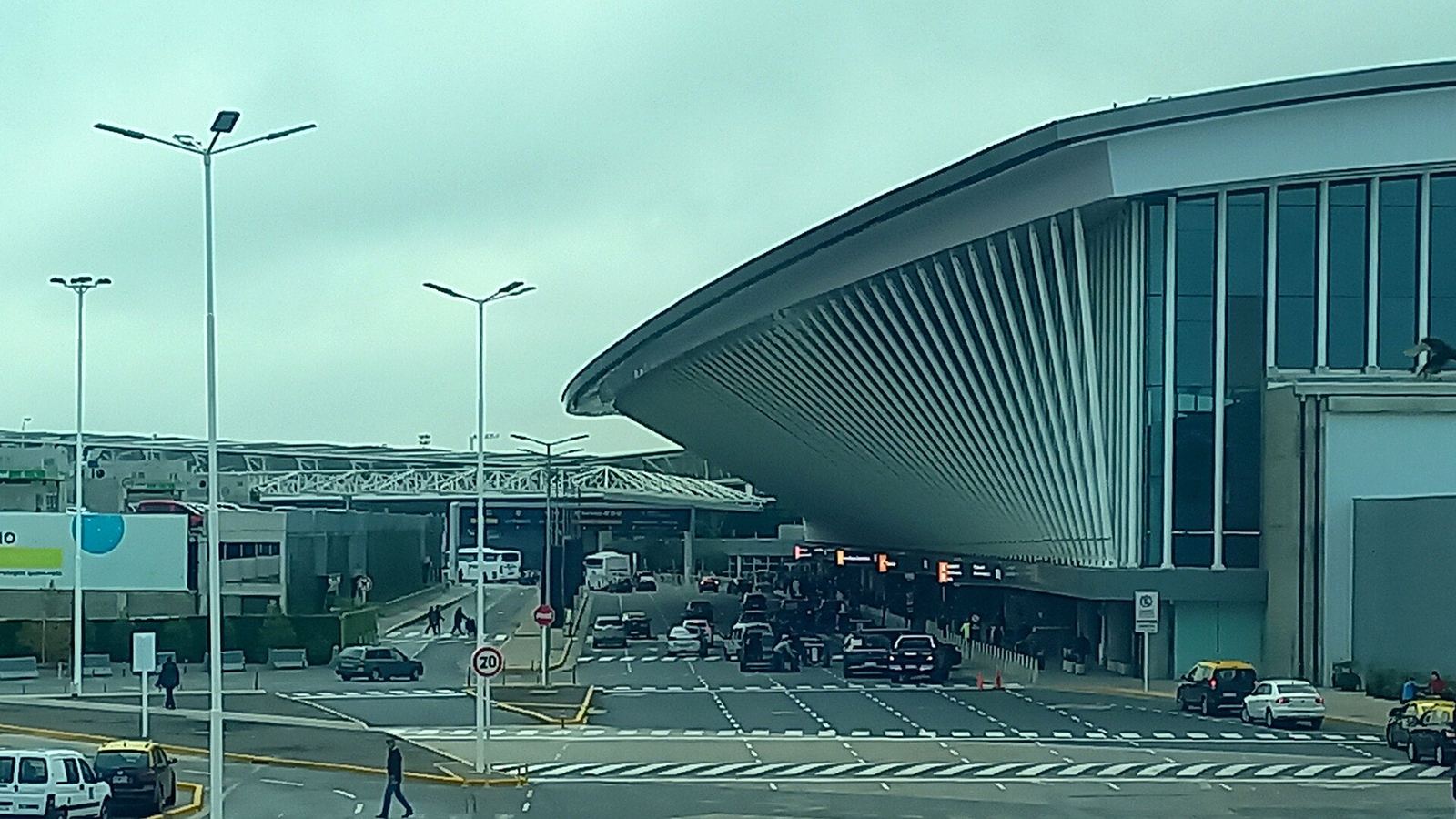
The easy answer at Ezeiza is to arrive with your eSIM already loaded. Physical SIM options at Buenos Aires Ezeiza (EZE) have thinned out to a single Personal counter that takes cards only, and buying a local prepaid line here still runs into Argentina's passport-and-tax-ID registration rules. An eSIM you set up at home connects on the airport WiFi in a couple of minutes, so you walk out of the terminal already online, ready to price the taxi or find the Tienda Leon bus. Ezeiza does have free WiFi throughout and that lone SIM counter if you want one, but for most travelers those mean queuing and configuring a card while jet-lagged after a long overnight flight from the north.
What This Guide Covers
Jump to the section most relevant to you
SIM and eSIM Options at Ezeiza Airport
Ezeiza, officially Ministro Pistarini International Airport, is where nearly all long-haul flights into Buenos Aires land. Connectivity options here are more limited than at many big hubs, so it helps to know exactly what you will and will not find once you clear immigration and customs.
Quick Terminal Summary
Terminal A is the main international terminal and where you will arrive on most intercontinental flights. It holds the one real carrier counter, a Personal store opposite check-in desk 40. Terminal C has been under renovation and handles a narrower set of services. Movistar does not run a store at Ezeiza, and Claro's presence is minimal, so Personal is effectively your only staffed on-site option.
The Personal Counter
Personal operates a store in Terminal A, opposite check-in desk 40, selling prepaid tourist SIMs. The important catch is that it takes card payments only and will not accept cash, which surprises travelers who arrive with dollars expecting to change them for pesos on the spot. Staff can set up a line, but you are still subject to the same registration paperwork as anywhere else in the country, and airport prices sit above what you would pay at a downtown store.
Why There Is No Vending-Machine Fallback
Unlike some airports, Ezeiza does not have a bank of self-service SIM vending machines, so if the Personal counter is closed or the queue is long, there is no automated backup on the arrivals floor. That absence is exactly why a pre-loaded eSIM is so useful here: it removes any dependence on a single counter keeping tourist-friendly hours.
eSIM on the Spot
eSIMs are not sold from a physical rack at Ezeiza, but you can buy and install one over the airport WiFi the instant you land, which is the same thing you could do at home with less stress. Loading it before departure is cleaner still, and means you are connected before you even reach the taxi rank.
Free Airport WiFi at Ezeiza (AA2000-Free)
Ezeiza offers free WiFi across the terminals, run by the airport operator, and it is genuinely useful because it is what lets you activate an eSIM or buy a plan online the moment you arrive.
Find the network
On your phone's WiFi screen, select AA2000-Free (some devices show it as AA2000-Free-Wifi). It is the official free network across the airport terminals.
Sign in through the portal
A landing page opens where you register a quick free airport account or accept the terms. Once it confirms, the WiFi icon goes live and you are connected.
Use it to activate, then move on
This is your window to switch on a pre-loaded eSIM or buy one if you have not already. Do it here, in the arrivals hall, before you walk out to the transport.
Do not count on the WiFi past the arrivals hall
Airport WiFi reaches only as far as the building. Step onto the Tienda Leon bus or into a taxi and it is gone, right when you want a map for the 35 kilometre run into the city. It is also slower and less private than your own mobile data. Use AA2000-Free purely to get your eSIM live, then rely on cellular for the journey and the rest of the trip.
Ezeiza to Buenos Aires: Transit and Data En Route
Ezeiza sits about 35 km southwest of central Buenos Aires, so the trip in is a real drive, not a quick hop, and it is precisely where you want working data to track the route, message your accommodation, and settle a fair fare. Here are the main options.
| Option | Destination | Time | Fare (one way) |
|---|---|---|---|
| Tienda Leon shuttle bus | Madero terminal (Puerto Madero, city center) | About 50 minutes | ~8,000 pesos online, ~13,000 pesos at the counter |
| Official taxi or remis | Door to door, anywhere in the city | 30 to 50 minutes, up to 90 in rush hour | ~38,000 pesos daytime, ~45,600 pesos at night |
| Public bus, Line 8 | City center, many stops | 2 hours or more | Under 1,000 pesos with a SUBE card |
The Tienda Leon shuttle is the sweet spot for most arrivals: buy online to pay roughly 8,000 pesos instead of about 13,000 at the counter, and you reach the Madero terminal in the city center in around 50 minutes. An official taxi or remis booked at the arrivals desk runs door to door for roughly 38,000 pesos by day, more at night, which is worth it for a group or a late landing. The cheap Line 8 public bus costs almost nothing with a SUBE card but is slow and not ideal with luggage after a long flight.
Data coverage on the ride in
The Tienda Leon buses advertise onboard WiFi, but like most transit WiFi it is slow and unreliable, and a taxi has none. Your own eSIM is far steadier: the networks blanket the Autopista Riccheri and the whole southwest approach into Buenos Aires, so with your own plan you keep maps, ride apps, and messages working for the full journey, which is when you need them most.
Why Load an eSIM Before You Arrive
There is a clear case for sorting your connection before you ever leave home, especially given how few backup options Ezeiza offers.
Pre-loaded eSIM
Buying at the airport
How to set it up
Buy an Argentina eSIM online a day or two ahead, add the profile while you still have home internet, and keep the line dormant until you touch down. When you land at Ezeiza, switch the eSIM on in your settings and you are connected right away, no need to hunt for AA2000-Free first. If you are weighing which plan fits, our Argentina eSIM guide lays out the networks and picks.
Ezeiza Prices vs an eSIM
The Personal counter at Ezeiza is convenient in the narrow sense that it is right there, but you pay for the location and you inherit the registration hassle. Here is how the numbers stack up in 2026.
| Where | Typical plan | Price |
|---|---|---|
| Ezeiza Personal counter | Tourist SIM plus a few GB (card only) | Above city rates, roughly 10 to 20 USD equivalent |
| Downtown carrier store | Movistar 5 GB, 30 days | ~6,100 pesos (~7 USD) |
| Online eSIM | Short stay, capped data | From about 8 USD |
| Online eSIM | Larger bucket or unlimited for a week | Around 15 to 25 USD |
The pattern is consistent: a downtown store is cheaper than the airport counter, and an online eSIM matches or beats both while removing the queue and the paperwork. A capped short-stay eSIM can start near 8 dollars, and a generous or unlimited week runs roughly 15 to 25, which is competitive with what the Ezeiza counter charges for a tourist SIM you also have to register in person. The airport SIM does give you an Argentine number, which matters only if you specifically need to make local calls.
The verdict
Load an Argentina eSIM before you fly and use AA2000-Free only to switch it on. Keep the Personal counter in mind as a backup if your phone turns out not to support eSIM, or if you truly want a local number. To match a plan to your trip length, run the eSIM Finder.
Frequently Asked Questions
Can I buy a SIM card inside Ezeiza when I land?
Only from one place. Personal runs a store in Terminal A opposite check-in desk 40, and it is effectively the sole staffed carrier counter at Ezeiza now. It accepts cards only, not cash, and there are no SIM vending machines as a fallback. Movistar has no store here and Claro's presence is minimal, so if the Personal counter is closed or busy, a pre-loaded eSIM is the only way to land connected.
How do I connect to the free WiFi at Ezeiza?
On your phone's WiFi list, choose the AA2000-Free network, which some devices show as AA2000-Free-Wifi. A portal page opens where you register a quick free airport account or accept the terms, and then you are online across the arrivals area. It is the ideal moment to switch on a pre-loaded eSIM or buy one, but remember the signal does not follow you onto the bus or into a taxi.
Will I have data on the drive from Ezeiza into Buenos Aires?
With your own eSIM, yes, for the whole way. The networks cover the Autopista Riccheri and the southwest approach into the city, so maps and messages keep working across the roughly 50 minute trip. The Tienda Leon shuttle advertises onboard WiFi, but it is slow and patchy, and a taxi offers none, so your own mobile data is the reliable option on the ride in.
What is the cheapest reliable way from Ezeiza to the city center?
The Tienda Leon shuttle bus is the best balance for most travelers, at roughly 8,000 pesos booked online, or about 13,000 at the counter, reaching the Madero terminal in the center in around 50 minutes. An official taxi or remis runs door to door for roughly 38,000 pesos by day. The Line 8 public bus costs under 1,000 pesos with a SUBE card but takes two hours and is awkward with luggage.
Is it cheaper to sort my connection at Ezeiza or buy an eSIM online?
Online usually wins. The Ezeiza Personal counter charges above city rates and still requires in-person registration, while a downtown Movistar 5 GB plan is around 6,100 pesos. An online eSIM starts near 8 US dollars for a short capped plan and runs roughly 15 to 25 for a larger or unlimited week, matching or beating the airport for the same data with no queue and no paperwork.